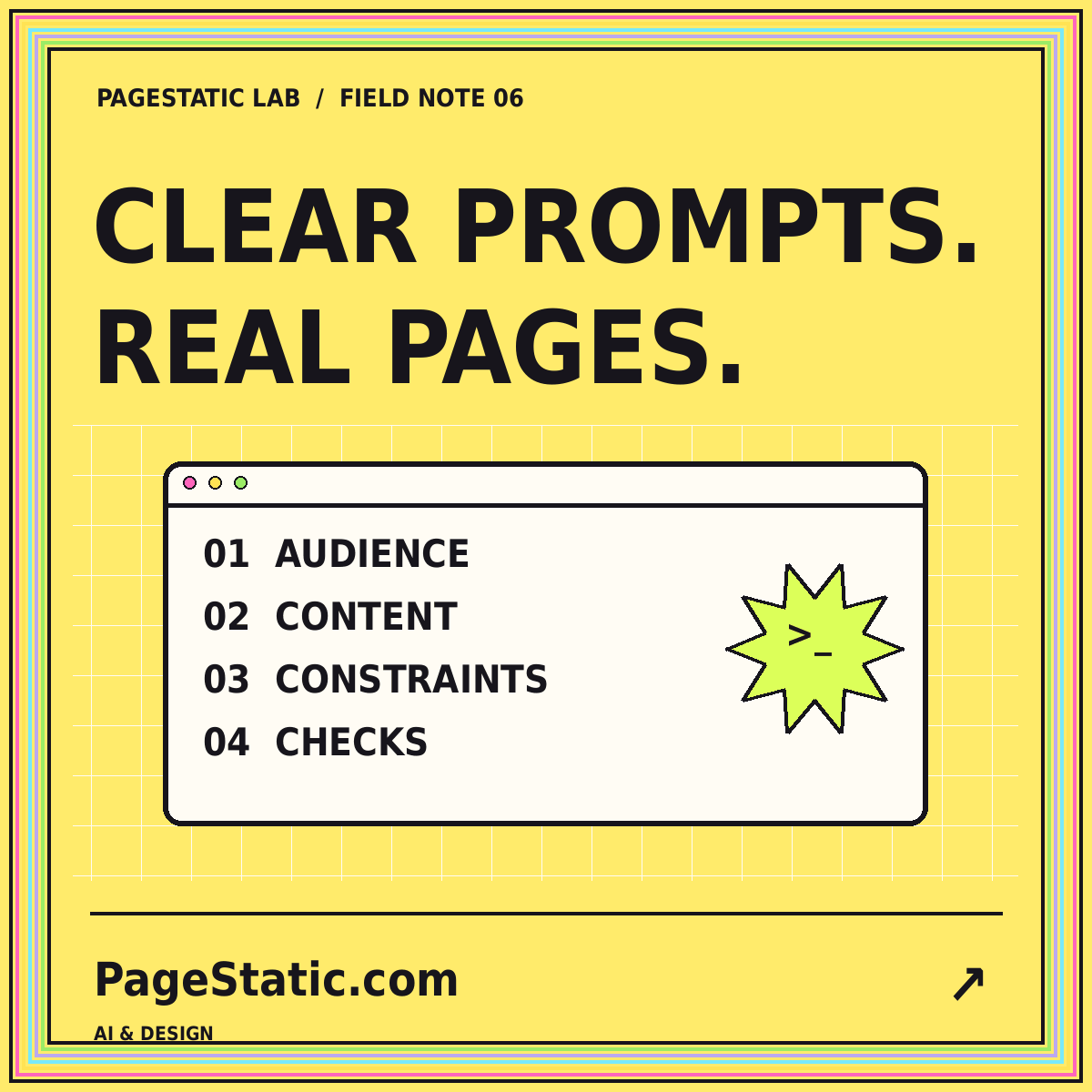
A useful website prompt is a compact specification. It tells an AI tool what to create, what information it may rely on, and how the output will be reviewed. It does not need to contain every possible design term. In fact, a long collection of conflicting adjectives can be less useful than a short set of clear decisions. Start by deciding what the website is for and what the finished files must do.
The framework in this guide is intended for static website projects. It can help with a complete first draft or a bounded revision to an existing site. The examples are readable instructions to adapt in your own workflow, not an interactive generation service. Keep your reusable prompt separate from each project's specific facts so the structure remains useful without carrying old branding into a new build.
Begin with an outcome, not an adjective
State the website's purpose in one or two sentences. Identify the intended reader, the information they need, and the next step the site should support. “Create an editorial resource that helps small teams compare static publishing workflows” gives more direction than “create an amazing futuristic website.” The outcome should explain the content structure, not simply describe the emotional impression of the homepage.
Then name the deliverable. For example: prepared HTML pages, a compiled stylesheet, local images, and lightweight JavaScript for navigation. Specify whether the result must work on ordinary static hosting and whether any development steps are allowed before delivery. This distinction prevents confusion between a finished website and a source project that still needs installation, configuration, or a server application to become usable.
Separate approved facts from open decisions
Create a section for information that must remain exact: the domain, brand spelling, contact address, required destinations, and approved claims. A second section can describe choices the designer may make, such as card composition or supporting colors. Do not mix unknown details into the facts section. When the site lacks a testimonial, team biography, or product feature, say that it must not be invented.
This separation also helps when reusing a prompt. Replace project-specific values deliberately instead of performing an incomplete brand-name substitution. Check filenames, social metadata, email addresses, and example links as well as visible headings. A reusable prompt should remind you to update those surfaces, because a new homepage title does not automatically remove every reference to the previous project from a template.
Define the page map and content roles
List the required page paths and explain the purpose of each page. A topic guide should answer a distinct reader question; an article should explore a specific angle in more depth. Describe which pages appear in the main navigation and which are reached through a topic page, archive, or related-content section. This avoids a header filled with every destination and a homepage filled with near-duplicate cards.
For articles, specify the required elements separately from their prose: a title, introduction, section hierarchy, conclusion, excerpt, date, category, tags, and image. Where word counts matter, define what is counted. Navigation and related-post listings should not be used to inflate article length. A precise content requirement makes review easier and discourages a long page that contains very little substantive material.
Turn visual preferences into rules
Translate the mood into a small visual system. You might request bright section backgrounds, dark text, generous spacing, outlined cards, and large bold headings. Add constraints for readable line lengths, mobile wrapping, and visible keyboard focus. Explain where motion is appropriate and require a reduced-motion alternative. The goal is a design direction that can be checked, not a collection of references that disagree with one another.
Describe image requirements with equal precision. Include dimensions, format, safe margins, brand labeling, and whether the image carries meaningful text. A request for a social card should identify the short headline it needs to communicate. When the image repeats information already on the page, the surrounding content still needs to stand on its own. Avoid using decoration as a substitute for explaining the article's subject.
Use examples to clarify the output
A small example can resolve ambiguity more efficiently than another paragraph of adjectives. Show a representative page outline, a sample metadata record, or a preferred navigation label. Label examples as examples so their content is not mistaken for a requirement to reuse fictional details. Include a difficult case, such as a long title, when the design must handle it gracefully.
The Anthropic prompt engineering overview describes prompt development in relation to clear goals and evaluation. For website work, apply that principle by pairing each important instruction with a way to inspect the result. The reusable structure below is an original project-planning approach; it is not a promise that a particular prompt produces a correct website on the first attempt.
Write a reusable static-site instruction
Here is a compact example to adapt: “Create a static resource website for a small design collective. Its readers need to understand the collective's work, browse completed projects, and contact the team by email. Use only the supplied project facts and approved images. Produce complete directory-based pages with local assets. Do not add accounts, forms, live statistics, testimonials, or services that have not been supplied.”
Continue with reviewable details: “Keep navigation consistent across pages. Make the mobile menu operable with a keyboard and prevent horizontal overflow at narrow widths. Use one primary heading on each page, descriptive image text, unique metadata, and working internal links. Deliver the finished files at the archive root. Before packaging, check links, assets, page structure, and the required content lengths, and report checks that could not be performed.”
Add a focused revision instruction
A revision prompt should identify the problem and protect approved work. For example: “On narrow screens, the navigation label wraps into the contact button. Adjust the shared header spacing and menu behavior. Preserve the current page destinations, brand title, and article copy. Verify the header at several narrow widths and confirm that opening the menu does not hide its final links below an unscrollable area.”
Avoid asking for everything again
Do not append the entire project's wish list to every small revision. That can invite unnecessary changes and make comparison harder. Supply the relevant constraints, the observed issue, and the acceptance checks. Keep a copy of the previous working version. The PageStatic website prompts collection provides additional static examples for planning content, reviewing a design, and scoping a conversion project.
Build an acceptance checklist into the prompt
State the checks that matter before requesting the final package. Each navigation item should lead somewhere real. Each required image should exist at the specified dimensions. Canonical references should use the production domain. Article lengths should be measured on the article body. A data-entry interface should not appear unless the project includes a real, approved implementation for it.
Be equally explicit about the limits of a check. Local testing can verify that an email link has the intended address, but it cannot establish that the mailbox receives messages. A valid sitemap does not guarantee indexing. A screenshot does not prove keyboard behavior. Request a factual account of observed results rather than a sweeping statement that the website is perfect, optimized, or guaranteed to perform well.
Conclusion: make the result easier to review
The best reusable website prompt reduces uncertainty about purpose, content, structure, delivery, and acceptance. It leaves creative choices where they belong while protecting important facts and technical boundaries. Save the structure, replace project details carefully, and refine it after reviewing actual output. A prompt is more valuable when it helps you notice mistakes than when it merely sounds comprehensive.
Use the review-first design agent workflow when a tool will make changes across a project. Pair a clear request with a recoverable working copy and a small set of meaningful tests. That combination keeps the website's requirements visible from the first draft through the final release, without mistaking a fluent response or attractive preview for evidence that the work is complete.